Running a WooCommerce store looks simple on the surface, but behind the scenes it quickly becomes operationally heavy. Order management, customer communication, inventory updates, reporting, marketing follow-ups, and support tasks pile up as sales grow. When these processes rely on manual effort, growth slows down, mistakes increase, and profitability suffers.
WooCommerce automation is not about replacing people. It is about building systems that remove repetitive work, reduce human error, and allow your store to scale efficiently in a competitive global market.
This guide explains WooCommerce automation in depth, covering real use cases, workflows, tools, SEO-focused insights, and how automation directly impacts revenue and operational efficiency.
What WooCommerce Automation Really Is (and What It Is Not)
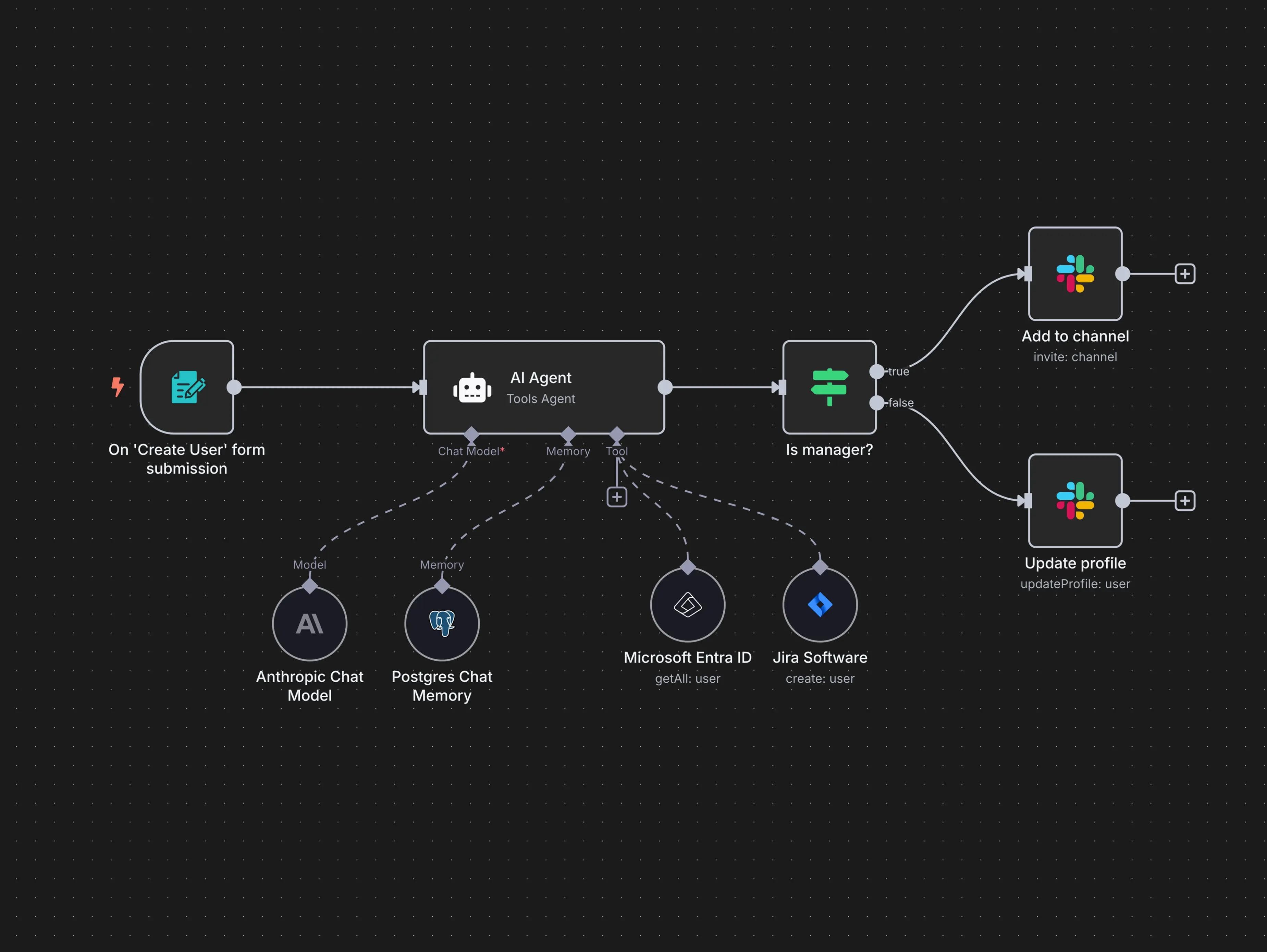
WooCommerce automation is the structured process of connecting your store with other systems so actions happen automatically based on triggers.
Automation is:
- Event-driven workflows based on real store activity
- A way to reduce repetitive operational tasks
- A system for consistent customer experience
- A foundation for scaling without increasing headcount
Automation is not:
- Installing random plugins without strategy
- Replacing human decision-making
- A one-time setup that never needs review
- A shortcut that works without planning
At its core, automation turns WooCommerce into a connected business system instead of a standalone store.
Core WooCommerce Tasks That Should Never Be Manual
As stores grow, certain tasks should be automated first because they consume time without adding strategic value.
Order Processing and Fulfillment
Order handling is the most time-sensitive operation in eCommerce. Manual processing increases delays and errors.
With automation, a single order can trigger a full workflow:
- Order confirmation is sent instantly with dynamic customer and product data
- Invoice or receipt is generated and stored automatically
- Internal teams are notified through email or workspace tools
- Order data is logged for reporting and analytics
- Fulfillment partners or internal systems are updated automatically
This ensures consistency and speed regardless of order volume or time zone.
Customer Communication and Transactional Emails
Customers expect clear and timely communication. When they do not receive updates, they contact support or request refunds.
Automation allows WooCommerce stores to:
- Send order confirmation emails immediately
- Notify customers when orders are processed or shipped
- Deliver tracking information automatically
- Send delivery confirmation and post-purchase messages
These messages are not generic. They can include personalized data such as order items, shipping addresses, and estimated delivery times. This builds trust and reduces customer support load.
Abandoned Cart Recovery Automation
Abandoned carts are one of the biggest sources of lost revenue in eCommerce.
A structured automation flow typically includes:
- Detecting cart abandonment after a defined inactivity period
- Sending the first reminder email focused on convenience
- Sending a follow-up message addressing objections or concerns
- Optionally including a limited-time incentive
- Automatically stopping the flow if the purchase is completed
This process works continuously without manual monitoring and can recover a significant percentage of lost sales over time.
Inventory and Stock Management Automation
Manual stock management becomes unmanageable at scale and creates customer-facing issues.
Automation can handle:
- Real-time stock deduction when orders are placed
- Low-stock alerts sent to store owners or suppliers
- Automatic status updates for out-of-stock products
- Inventory synchronization across sales channels
Accurate inventory data protects brand reputation and improves operational reliability.
Accounting, Reporting, and Data Synchronization
Manually exporting sales data wastes time and often leads to outdated insights.
With automation:
- Order and revenue data can sync automatically to spreadsheets or databases
- Daily, weekly, or monthly reports can be generated automatically
- Key performance metrics are updated without human input
- Financial data remains consistent across tools
This creates visibility into business performance without manual effort.
Advanced WooCommerce Automation Workflows
Automation becomes more powerful when workflows extend beyond basic tasks.
Order to CRM to Retention Workflow
A fully automated post-purchase system can:
- Add new customers to a CRM automatically
- Tag customers based on products purchased
- Trigger segmented follow-up campaigns
- Send review requests after delivery
- Launch upsell or cross-sell sequences
This transforms WooCommerce from a transactional platform into a customer lifecycle system.
Customer Support Automation
Many support requests are repetitive and predictable.
Automation can:
- Route order-related queries automatically
- Provide instant responses for common questions
- Trigger support tickets only when human input is required
- Log support interactions for future analysis
This improves response time while reducing operational overhead.
Choosing the Right Automation Tools for WooCommerce
Different automation platforms serve different purposes. A professional setup often combines tools based on complexity and scale.
Automation tools are typically chosen based on:
- Workflow complexity
- Volume of operations
- Custom logic requirements
- Integration depth
- Long-term scalability
Simple automations may require lightweight tools, while advanced workflows benefit from platforms that support conditional logic, branching, and custom integrations. Tool selection should always follow workflow design, not the other way around.
SEO and Performance Benefits of WooCommerce Automation
Automation does not only improve operations. It indirectly improves SEO and conversion performance.
Automated systems help by:
- Ensuring faster order processing and better user experience
- Reducing errors that cause refunds and negative reviews
- Supporting consistent customer communication
- Enabling data-driven optimization through accurate reporting
Search engines reward stores that deliver reliable user experiences, and automation helps maintain that consistency at scale.
Common Mistakes Businesses Make With WooCommerce Automation
Many businesses fail to see results because of strategic mistakes.
The most common issues include:
- Automating without mapping existing workflows
- Overloading systems with unnecessary triggers
- Ignoring error handling and monitoring
- Using too many tools without clear ownership
- Treating automation as a static setup
Effective automation is iterative. It evolves with the business.
How Automation Enables Scalable Global eCommerce
Global eCommerce businesses operate across time zones, currencies, and customer expectations. Manual processes cannot keep up.
Automation allows:
- 24/7 order processing and communication
- Consistent customer experience worldwide
- Operational scalability without linear cost increases
- Faster response to market demand
This is why automation is no longer optional for growth-focused WooCommerce stores.
Why Professional WooCommerce Automation Matters
Poorly implemented automation creates fragile systems that break under pressure. Professionally designed automation focuses on reliability, clarity, and scalability.
A specialized web development and AI automation agency helps businesses:
- Analyze existing workflows
- Identify high-impact automation opportunities
- Design scalable WooCommerce systems
- Implement and test automation end to end
- Optimize workflows as the business grows
Automation should reduce complexity, not add to it.
Final Thoughts
WooCommerce is a powerful platform, but automation is what turns it into a scalable business engine. Stores that rely on manual processes eventually hit growth limits. Stores that invest in structured automation build systems that work continuously, accurately, and efficiently.
If your WooCommerce store is growing and manual work is slowing you down, automation is the next strategic step. The right automation setup saves time, reduces errors, improves customer experience, and creates a foundation for long-term global growth.